
Download 3D Formula 1 Screensaver – Free Windows 3D racing screensaver
Overview
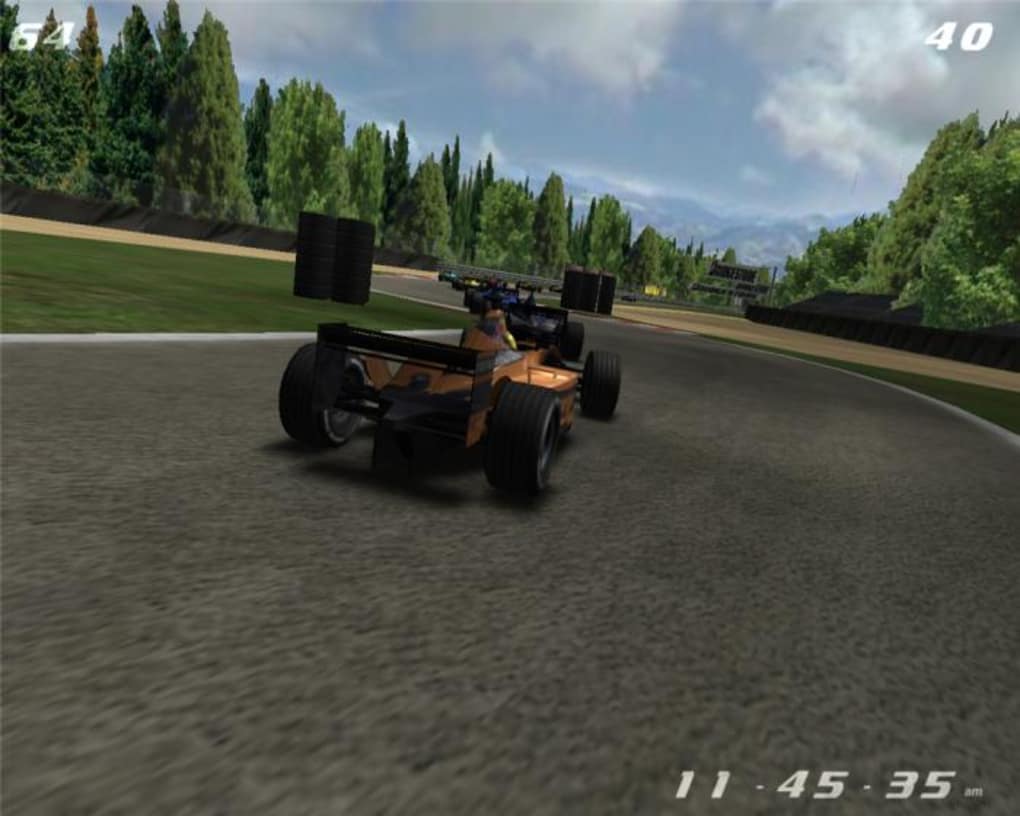
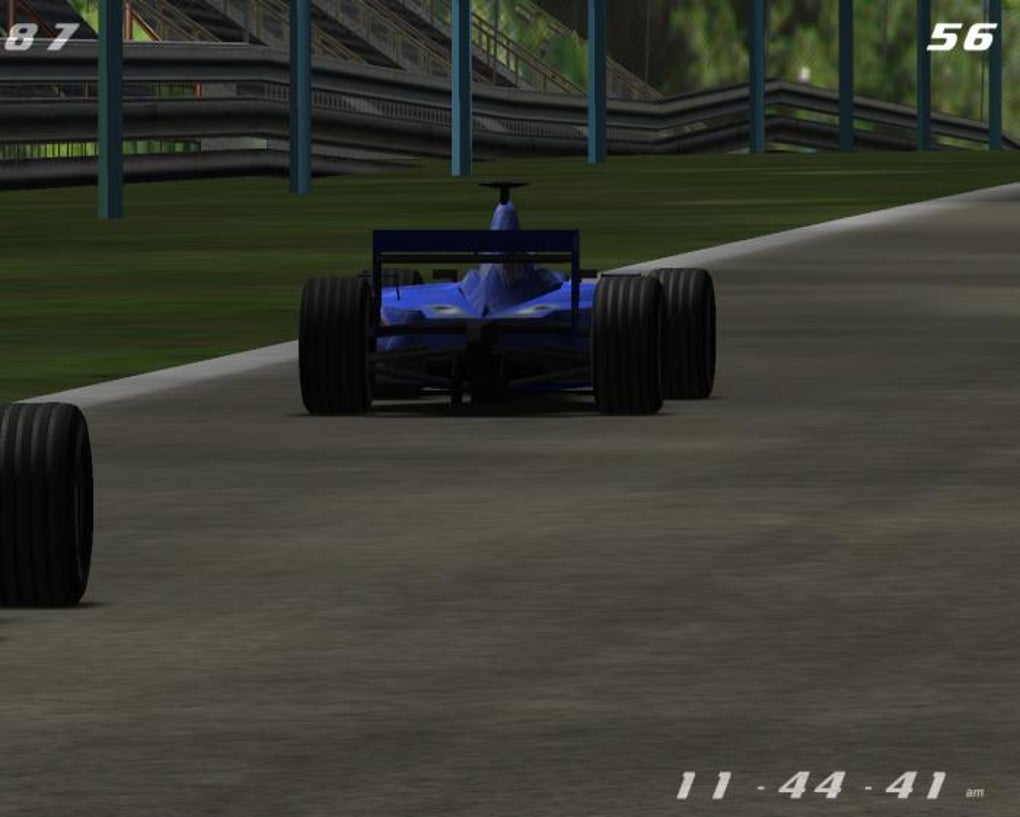
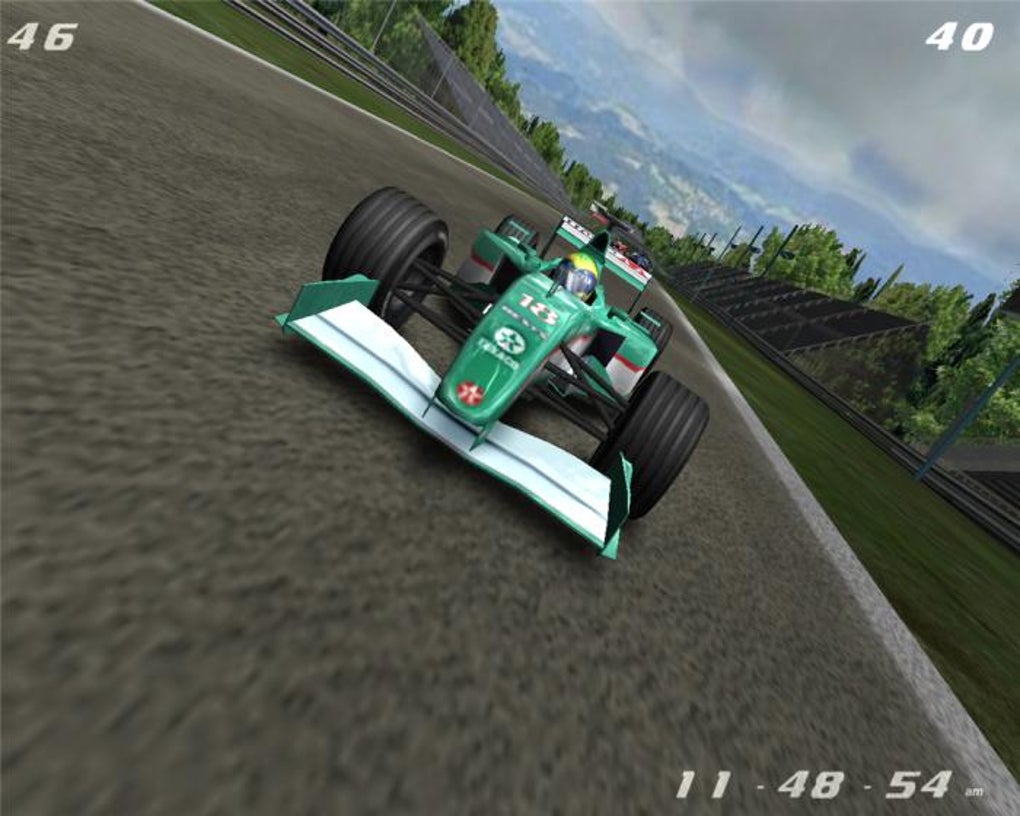
If you spend a few minutes each day watching the world’s most prestigious motorsport, the idle moments on your computer can feel like wasted potential. The 3D Formula 1 Screensaver turns those idle seconds into a high‑octane visual experience. Developed by Astro Gemini, this screensaver brings a miniature F1 circuit to your desktop, complete with animated cars, dynamic camera angles, and optional sound effects.
While it isn’t a substitute for the latest gaming graphics, the rendering is surprisingly slick for a screensaver, delivering smooth motion and clear textures that keep even casual fans engaged. The software runs on Windows and integrates with the native screensaver control panel, meaning you can enable or disable it just like any other system screensaver. A built‑in manager lets you fine‑tune when the screensaver activates, whether to enable music, and how long each race loop should last.
The free demo version adds a subtle “upgrade” overlay after a few minutes, encouraging you to purchase the full version for an uninterrupted experience. For die‑hard F1 enthusiasts who want a constant reminder of the sport’s excitement without opening a browser or launching a game, this tool fills a niche that many generic screensavers overlook.
Key Features & Installation Guide
Feature List
- Real‑time 3D rendering of Formula 1 cars on a looping track.
- Multiple camera perspectives – chase, overhead, and track‑side views.
- Customizable sound options: engine roar, crowd ambience, or silent mode.
- Music toggle with a built‑in techno soundtrack (optional).
- Integrated screensaver manager for easy activation/deactivation.
- Support for Windows 7, 8, 10, and 11 (32‑bit & 64‑bit).
- Lightweight installer under 30 MB, quick download and setup.
- Free demo version with upgrade prompt; full version removes nag screen.
Installation & Usage Instructions
Installing the 3D Formula 1 Screensaver is straightforward. First, download the installer from the official Astro Gemini website. The package includes the screensaver file (with a .scr extension) and the Astro Gemini Screensaver Manager, which handles configuration.
Run the installer as an administrator; it will copy the .scr file to the Windows system folder (C:\Windows\System32) and create a shortcut in the Start menu. After installation, open the Windows Control Panel → Appearance and Personalization → Change screen saver. You will now see “3D Formula 1 Screensaver” listed among the options.
Select it, then click “Settings” to launch the manager. Here you can set:
- Activation Time: Choose how long the PC must be idle before the screensaver starts (e.g., 2‑5 minutes).
- Sound Preferences: Enable or mute engine noises and background music.
- Track Length: Define the duration of each loop (short, medium, long).
- Display Mode: Full‑screen or windowed preview.
Once configured, click “Apply” and “OK.” The next time your PC is idle, the racing action will kick in automatically. If you ever need to revert to a classic screensaver, simply return to the Control Panel and choose a different option. The manager also includes a “Check for Updates” button, ensuring you receive the latest car models and track refinements without manual downloads.
Compatibility, Pros & Cons
The software is built specifically for Microsoft Windows environments. It runs smoothly on Windows 7, Windows 8, Windows 10, and the latest Windows 11, supporting both 32‑bit and 64‑bit architectures. While the installer does not provide a macOS or Linux version, the lightweight nature of the .scr file means that it could be run through compatibility layers (e.g., Wine) for advanced users, though official support is limited to Windows.
Pros
- Free demo offers a genuine taste of the product before purchase.
- High‑quality 3D graphics that are surprisingly detailed for a screensaver.
- Full integration with Windows screensaver settings for seamless activation.
- Customizable sound and music options prevent unwanted noise.
- Low CPU and memory usage, making it suitable for older PCs.
Cons
- Demo version displays an upgrade nag screen after a few minutes.
- Soundtrack is generic techno; fans may prefer authentic F1 broadcast audio.
- No official macOS, Linux, Android, or iOS versions.
- Track selection is limited to a single generic circuit; no official 2009 season data.
- Graphics, while solid, are not on par with modern gaming engines.
Frequently Asked Questions
Does the 3D Formula 1 Screensaver work on Windows 11?
Yes, the screensaver is fully compatible with Windows 11. It installs to the system folder and appears in the standard screensaver selector just like on older Windows versions.
Can I turn off the engine sounds and music?
Absolutely. The built‑in Screensaver Manager includes toggles for both engine roar and background music, allowing you to run the visual component silently if you prefer.
Is there a way to use the screensaver without the Astro Gemini manager?
The .scr file can be launched directly from the Windows screensaver interface, but the manager provides essential configuration options (activation time, sound, loop length). Without it, you’ll have limited control over those settings.
Will the demo version affect my work productivity?
The demo only shows a small overlay after a few minutes of continuous play. It does not interfere with system performance or open additional windows, so it remains unobtrusive while you work.
How can I purchase the full version?
Within the Screensaver Manager, click the “Upgrade” button, which redirects you to Astro Gemini’s secure checkout page. The full version costs $4.99 USD and removes all nag screens.
Conclusion & Call to Action
In a landscape flooded with generic visual idle‑time tools, the 3D Formula 1 Screensaver offers a niche yet compelling experience for motorsport fans. Its 3D graphics, flexible sound controls, and seamless Windows integration make it a worthwhile addition to any F1 enthusiast’s desktop. While the demo version’s upgrade reminder and the lack of official support for non‑Windows platforms may deter some users, the low price point of the full version and the minimal system impact provide strong justification for the purchase. If you’re looking to keep your monitor alive with a burst of racing excitement, download the free demo today, test the visual quality, and consider upgrading for an uninterrupted, ad‑free experience.
The 3D Formula 1 Screensaver delivers solid visual flair with low resource usage, making it ideal for Windows PCs that need a touch of speed without sacrificing performance. Sound and music toggles keep it from becoming a distraction, and the price is reasonable for the added immersion. The only drawbacks are the demo overlay and the absence of official support for macOS or mobile platforms. Overall, it’s a commendable addition for any F1 fan’s setup.







